Perfect Demos on Take 1.
ScreenCraft zooms into what you click and type, smooths the cursor and frames the result. Free, open source, and it never leaves your computer.
macOS and Windows. MIT license. No account, no watermark.

Just 3 Steps.
Record
Pick a screen and press record.
Adjust
Zooms are already there. Polish the rest.
Export
One file, made on your own machine.
Zooms that follow what you do
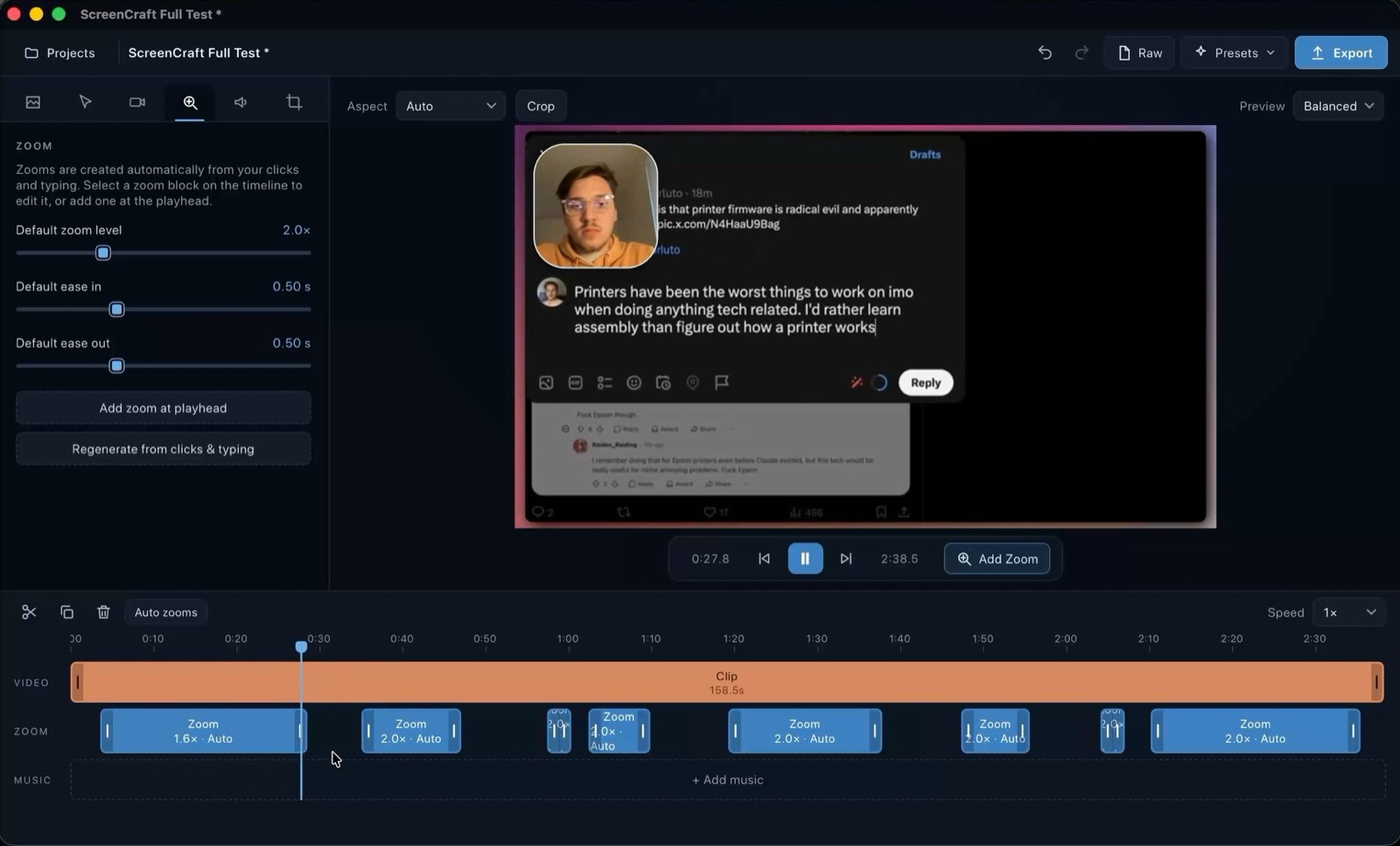
Clicks and typing become zoom regions automatically. The camera glides to the cursor and tracks the text caret while you type. Move, resize or delete any of them.
Your camera, your way
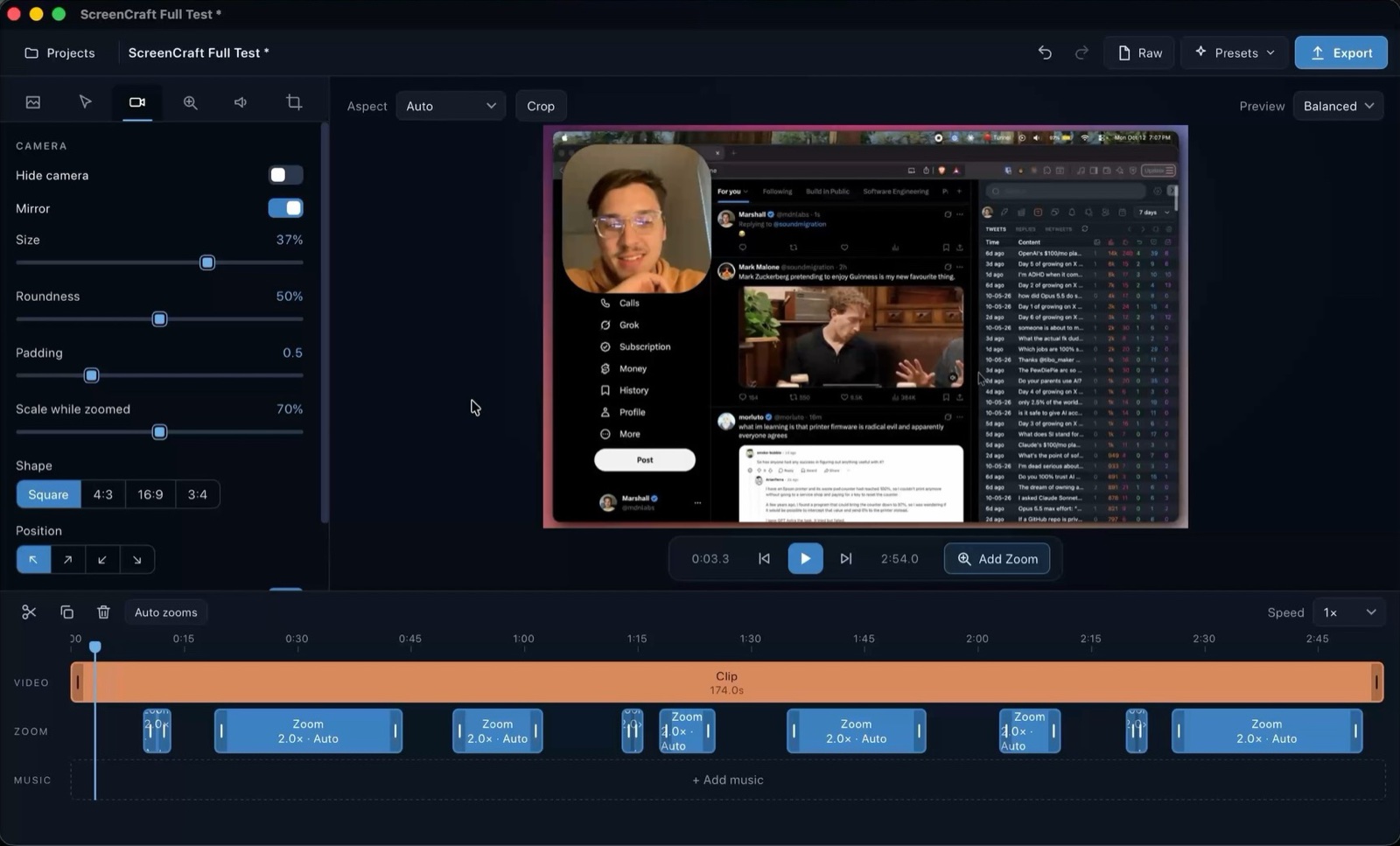
Keep the camera in a corner bubble, make it large, or go camera-only. Size, shape, mirroring and position are all editable per block, and everything eases between them. The cursor is redrawn too, so it stays smooth and hides while you type.
Captions made on your computer
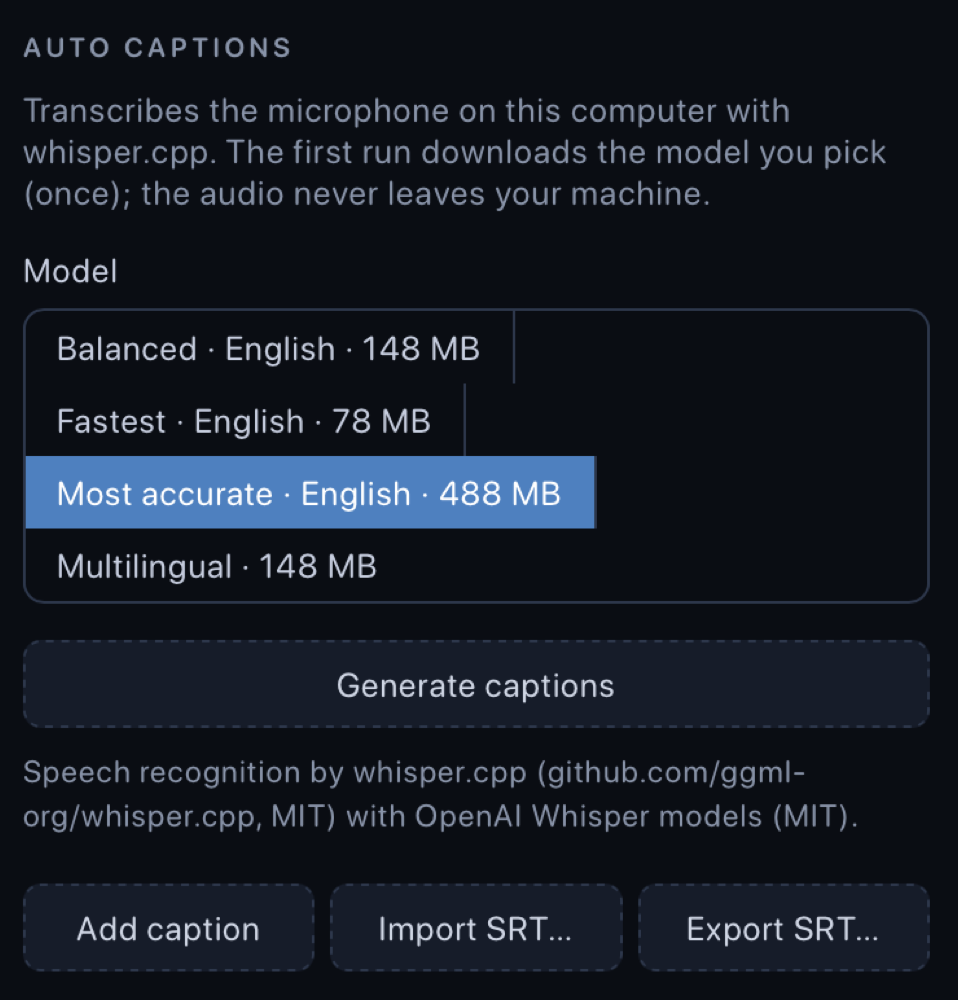
Generate captions with whisper.cpp. The model downloads once; your audio is never uploaded. Style them TikTok-style, edit the text and timing, or export an SRT.
Export without a watermark
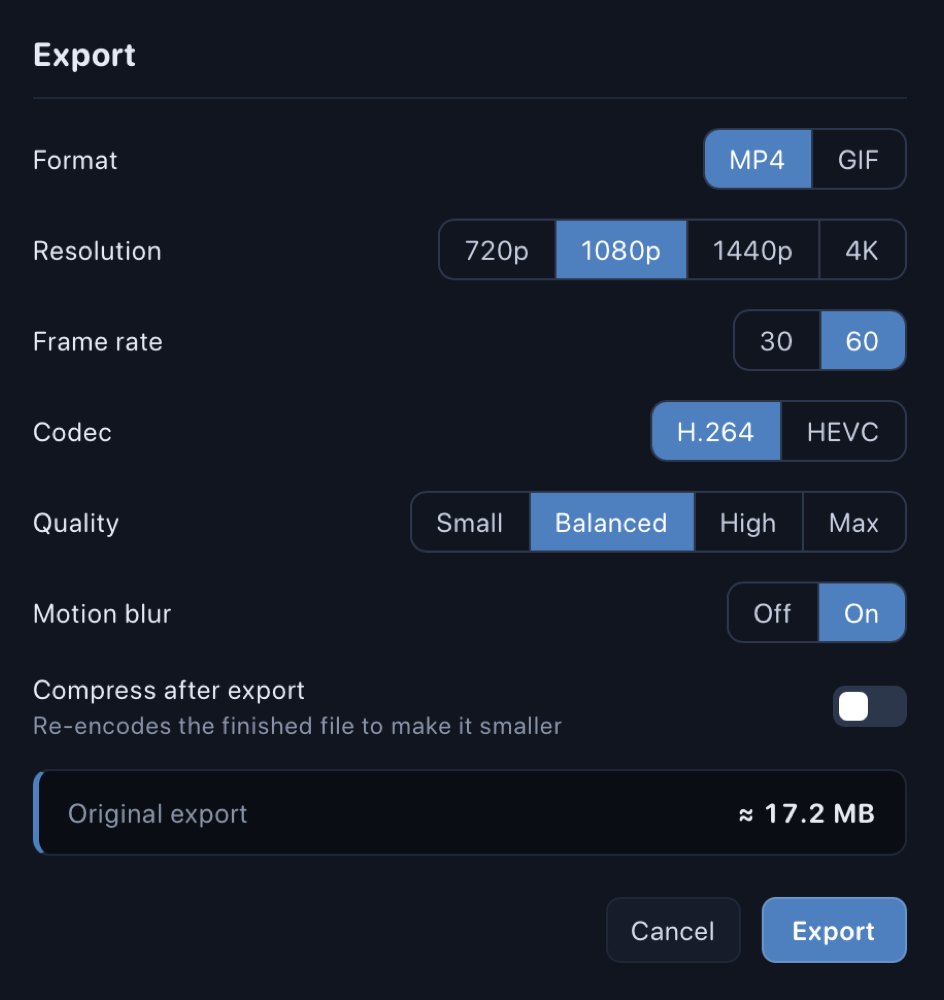
H.264 or HEVC MP4, or GIF, rendered locally with hardware encoding. Add a device frame or a gently moving background, then compress if you need a smaller file.
The rest of the editor
- Recorder
- A display, a window or a dragged area, with camera, microphone and system audio.
- Annotations
- Text, arrows, boxes, blur, pixelate and spotlight, pinned to the recording or the frame.
- Camera layouts
- Bubble, large, camera only or side by side. Every block keeps its own settings and eases between them.
- Pace and transitions
- Speed up idle stretches, ramp speed, freeze a frame, cross-dissolve between clips.
- Audio
- Mic levelling, music that ducks under your voice, and optional click and key sounds.
- Look
- Wallpapers with subtle motion, device frames, padding, corners, shadow and any aspect ratio.
What people make with it
- Product demos
- Zooms land on the thing you are talking about, so viewers never hunt for the cursor.
- Tutorials and courses
- Speed up the waiting, caption the narration locally, and keep the lesson tight.
- Bug reports
- Show exactly what happened, with keys on screen and an annotation on the broken part.
- Changelog videos
- Record the new feature once, re-export it for the site, the docs and social.
- Onboarding clips
- Short walkthroughs with a camera bubble, so a real person is in the corner.
- Vertical clips
- Switch the aspect ratio to 9:16 or 1:1 and the zooms and captions reframe themselves.
Why record locally
| ScreenCraft | Paid Recorders | |
|---|---|---|
| Price | Free, MIT licensed | Subscription or one-off fee |
| Watermark | Never | Often on free tiers |
| Account | None | Usually required |
| Where footage goes | Stays on your computer | Often uploaded for sharing or rendering |
| Captions | On-device, whisper.cpp | Often cloud transcription |
| Source code | Open on GitHub | Closed |
| Works offline | Fully offline | Often needs a connection |
| Export quality | Up to 4K at 60 fps | Often limited on free plans |
| Cursor and zoom edits | Editable after recording | Varies |
| Project files | Plain folders you own | Often tied to an account or cloud |
| Telemetry | None | Often collected |
| Platforms | macOS and Windows | Varies |
A general comparison, not a claim about any one product. Check any tool's current terms before you choose.
Quick keys in the editor
- Space Play and pause. Hold it to play at 2x.
- Q E Jump to the start or the end.
- A D Previous or next zoom.
- Ctrl/Cmd D Duplicate the selected block.
- Ctrl/Cmd Z Undo. Add Shift to redo.
- Ctrl/Cmd Shift 2 Start or stop recording from anywhere.
What's new
Unreleased
- Bluetooth headphones stay in stereo while you record. Opening a Bluetooth headset's microphone makes the headphones drop to call quality (16 kHz mono), which ruined what you heard and what was recorded. ScreenCraft now prefers the Mac's own microphone, never opens a headset microphone by accident (not even to fill the device list), and while a microphone is in use it pins the system's default input to the built-in one, restoring it when you turn the microphone off or quit. Picking a Bluetooth microphone on purpose still works and says what it costs.
0.3.0
- Auto captions: Captions → Generate captions transcribes the microphone on your machine with whisper.cpp. Pick a model (tiny / base / small English, or multilingual base); it is downloaded once on request. Nothing is uploaded.
- Device frames: laptop, monitor, tablet, phone and browser window around the screen.
- Animated wallpapers: subtle motion (drift, bokeh, waves, dust) on any wallpaper, identical in preview and export.
- Legal and compliance:
THIRD-PARTY-NOTICES.md,COMPLIANCE.md,SECURITY.md, license/disclaimer in the README. - A website (Vite, in
website/) with docs, downloads and legal pages, deployed on Cloudflare.
Questions
Is it really free?
Yes. ScreenCraft is MIT licensed. There is no paid tier, no account and no watermark.
Does it upload my recordings?
No. Recording, editing, captions and export all happen on your computer. The only network request the app makes is the optional download of a speech model, and only when you ask for captions.
How do the automatic captions work?
They run whisper.cpp, an open-source build of OpenAI's Whisper, on your own machine. You choose a model size, it downloads once, and your audio never leaves the computer.
Why does my system warn me when I open it?
The builds are not signed with a paid certificate yet. On macOS right-click the app and choose Open. On Windows choose More info, then Run anyway. The source is public if you would rather build it yourself.
Which systems does it support?
macOS 14 or later (Apple Silicon and Intel) and Windows 10 or 11. There is no Linux build yet.
Can I use it for commercial work?
Yes. The MIT license allows commercial use, and what you record and export is yours. You are responsible for having the right to record whatever is on screen.
Is it related to Screen Studio?
No. ScreenCraft is an independent project and shares no code or assets with any other product.
Built in the open
The whole app, installers and this website live in one public repository. Read it, file an issue, or send a fix.
Free under the MIT license. No account, no telemetry, no cloud rendering. Everything is recorded, edited and exported on your own machine, by a native Rust core.
Make your next demo look good.
Free for macOS and Windows. Install it, press record.